
arcads.

Facebook video creative

Plan ai for facebook ads with Arcads

Using ai for facebook ads starts with a specific audience, offer, and message—not a request to make something viral. Arcads has a Facebook AI ads generator page; this guide focuses on the brief, creative choices, and checks that still belong to you.

Review outputs before publishing
Arcads landing-page video creative

One brief, several creative directions

The useful output is a video concept you can evaluate against a campaign goal. These related guides help narrow the next decision before you build a test.

Creative paths for different teams

An AI-assisted concept is most useful when it answers a real production need. Choose a scenario first, then decide what evidence the finished ad must show.

Small retail team

A product has a visible use, but existing photos do not show why it matters in daily life. Brief a short demonstration with the benefit visible before the closing message.

A concept the team can check against the actual product and its approved claims.

arcads examples ugc

Service marketer

The offer needs an explanation rather than a beauty shot. Sketch a presenter-led opening that states the problem plainly and avoids an invented customer story.

A clearer script direction for review by someone who knows the service.

arcads ai avatars

Growth team

A campaign needs distinct opening angles for the same approved offer. Keep the audience and destination constant while changing the first message.

Creative hypotheses that can be tested without confusing a new hook with a new offer.

arcads vs creatify

Agency producer

A client wants more video directions before choosing one to develop. Present concepts with their intended audience, claim, and visual proof spelled out.

A reviewable shortlist rather than a collection of polished but unexplained clips.

arcads alternative

From campaign brief to reviewable video

Treat generation as a creative-development step, not as a substitute for campaign setup or approval.

  1. 1

    Define one job for the ad

    Write down the intended audience, the offer, the action you want viewers to take, and the single benefit the video should make credible. Supply approved wording for sensitive claims instead of asking a tool to invent proof.

  2. 2

    Develop contrasting concepts

    Explore a demonstration, a presenter explanation, or a problem-to-solution opening. Keep the core offer unchanged so reviewers can identify what differs between concepts and why each might earn attention.

  3. 3

    Check and prepare the candidate

    Verify product details, permissions, spoken claims, captions, and the destination page. Then confirm the finished asset meets the current requirements in Meta Ads Manager before uploading it and setting up a test.

Where creative generation stops

A plausible video is not automatically an accurate or publishable Facebook ad. These boundaries should shape the review process.

  • It cannot verify your claims

    A convincing script may still overstate a result, misdescribe a feature, or imply a testimonial that never happened.

    WorkaroundCompare every claim with approved product information and have the responsible team sign off.

  • It cannot grant usage rights

    A concept does not establish permission to use a person's likeness, a voice, music, a logo, or third-party footage.

    WorkaroundCheck licenses, releases, and brand permissions before an asset enters a campaign.

  • It cannot predict performance

    Neither a strong-looking hook nor an AI-generated presenter establishes that an audience will respond or that an ad will be approved.

    WorkaroundTest distinct hypotheses, read campaign results, and follow Meta's current advertising policies.

  • It does not replace campaign setup

    Creative planning does not choose your audience, configure tracking, set delivery, or publish an ad in Meta Ads Manager.

    WorkaroundComplete those tasks separately and inspect the final placement previews.

What changes in the creative brief

The comparison is about planning methods, not a promise that any particular output will perform better.

1

Starting input

Manual starting brief

Audience, offer, and a writer's initial angle

AI-assisted concept brief

The same audience and offer, expressed as a specific concept request

2

Opening hook

Manual starting brief

Drafted and revised by the team

AI-assisted concept brief

Several suggested openings for the team to evaluate

3

Product evidence

Manual starting brief

Provided by product owners

AI-assisted concept brief

Still provided and verified by product owners

4

Visual direction

Manual starting brief

Described in a storyboard or production brief

AI-assisted concept brief

Explored as a candidate scene or video direction

5

Approvals

Manual starting brief

Required before publication

AI-assisted concept brief

Equally required before publication

6

Campaign delivery

Manual starting brief

Configured in Meta Ads Manager

AI-assisted concept brief

Configured in Meta Ads Manager

Show the benefit, then frame the message

  • Unframed creator idea
  • Message-led concept

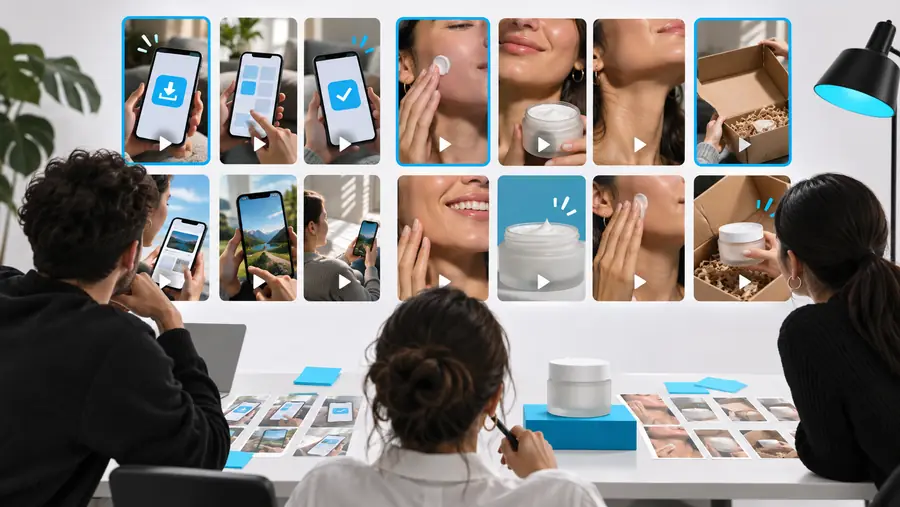
Illustrative creative directions, not a documented conversion of one file into the other. For a real ad, make sure the opening visual, spoken point, and on-screen text support the same approved claim.

Creator filming a conversational vertical video
Edited creator-style video with an on-screen message

Take a clearer brief into production

Give the video one specific job

If you are exploring ai for facebook ads, start with an audience, a verified benefit, and a visual way to demonstrate it. Use Arcads as a creative starting point, then review the result and finish campaign setup in Meta Ads Manager.

Explore video concepts
  • Keep product claims verifiable
  • Compare distinct creative angles
  • Review assets before publishing

Facebook ad creative FAQ

It can help explore hooks, scripts, and visual directions from a campaign brief. Your team still needs to check the facts, assess whether the concept suits the audience, and prepare an asset that meets current placement and policy requirements.

Arcads lists a Facebook AI ads generator feature page. That listing establishes the channel focus, but it does not by itself verify a particular export format, publishing integration, or production result.

Do not assume a generated concept is ready to publish. Check rights, claims, captions, and current Meta requirements, then handle upload and campaign configuration in Meta Ads Manager unless a verified workflow says otherwise.

Give each concept a clear hypothesis, such as a different opening hook for the same audience and offer. Review accuracy first, then test eligible assets in a campaign and use actual results rather than appearance alone to guide revisions.

Create an ad
Create an ad